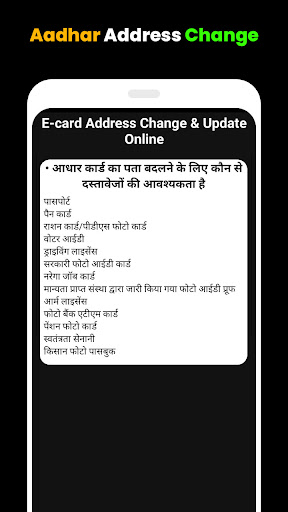
The very important Aadhar Card Update Guide App helps to make changes in the card details. The postal address changes due to transfer or retirement. How to make the address change online in the Aadhar card? The guide shows the way and explains the steps.
Step 1
- Easy Aadhar card updates have many advantages. Changes are possible while sitting at home or in the office through a Smartphone.
- An internet connection is needed for the process. Learn the procedure so that it is easy when changes are required to be made.
- Aadhar card is important as proof of identity with a 12-digit unique number, color photograph, and residential address.
- Aadhar contains important details like the phone number, year of birth, and relationships like wife or husband. When changes take place in such details, they must be updated online.
Step 2
- Aadhar card updating guide informs what changes can be made and how to make the change.
- Certain details cannot be changed like the permanent 12-digit number.
- UIDAI(Visit: https://uidai.gov.in/my-aadhaar/update-aadhaar.html), which is a government agency, has allotted the number.
- The phone number can be changed and the address also.
- Some changes require documents as proof. If the year of birth is changed due to some reason, a proof will be required like a school certificate.
- Scanned copies of documents need to be uploaded.
Step 3
- All changes cannot be done online. The initial enrolment requires a visit to the local Aadhar center.
- Photographs, fingerprints, and iris can be recorded at the Aadhar center only.
- Name and gender, date of birth, address, and language changes are possible online.
- A registered mobile number is required.
- The changes can be made through the registered phone number from anywhere through an internet connection. Use the Aadhar card update guidelines to understand the procedure.
- Use the 12-digit Aadhaar number to authenticate identity online.
- Keep the scanned copies of the supporting documents ready.
- Change in gender does not require documentary proof. Change the local language from a list of 13 languages if needed.
- The Aadhar number does not change and remains the same after the updated changes.
- If the update request is rejected, certain reasons will be there. The submitted document should be a valid document according to UIDAI.
- Scanned copies of documents should be clear. Photographs should be sharp and properly visible in color.
- After submission of requests for changes supported by documents and photographs as necessary, it will be considered. Requests for changes can be cancelled also.
Step-4
- The Aadhar card updating guide helps to understand the changes that are possible in the card and necessary, according to requirements.
- Demographics and Biometrics can be recorded at the local Aadhaar Enrolment Center but it is not convenient for everybody.
- The internet has helped many people make the changes easily from a smartphone or computer. The guide helps to understand the procedures better and avoid confusion.
- The name may be updated twice in a lifetime. Gender may be changed only once. The date of birth can be changed only once.
Disclaimer:
Aadhar card update guides are not affiliated with UIDAI and are not authorized to make Aadhar card changes. They serve the purpose of assisting the citizens to make changes.
Thank you for downloading and using our app!