Weeklo is the most intuitive, yet powerful weekly planner and to-do list app. It combines the simplicity of a minimalist todo list with the robustness of a digital diary and schedule planner. Designed for visual thinkers, it is the ultimate task planner to keep your life organized.
Why Weeklo?
Experience the tactile feel of a paper planner with digital planner superpowers. Navigate your timeline with a unique 3D page-flip animation and organize tasks using the simple yet rich-in-features drag & drop interface. Also, Weeklo has no ads, even for free users, because Weeklo strives to save your valuable time.
Key Features:
? Intuitive and Flexible Weekly Schedule:
Visualize your entire week at a glance. Unlike standard todo list apps, our weekly view helps you manage your weekly timetable effectively. Drag tasks to reschedule instantly or long-press to reorder or delete tasks in our weekly organizer. Choose start day of your weekly timetable, or change text size.
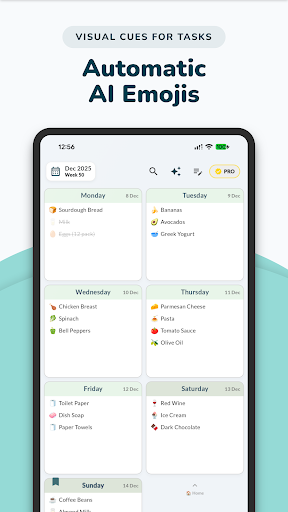
? AI Planner & Emojis:
Tap the "Magic Wand" and let our AI weekly planner feature auto-generate relevant emojis for all your tasks at once! This provides instant visual clues, making it easier to scan your agenda—perfect for ADHD weekly planner needs.
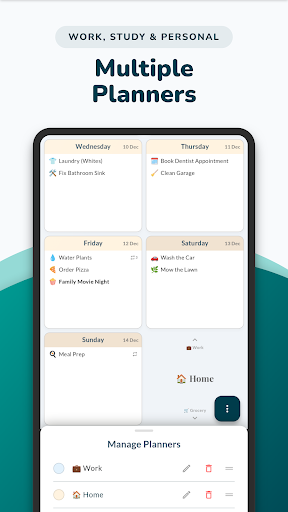
?️ Multiple Planners:
Separate your concerns with dedicated and flexible personal planners. Create a Work Planner with five days plan, a Study Planner for students, Meal Planner, or a Personal Diary. Instantly switch between planners with a vertical scroll and differentiate your planners visually using distinct custom colors.
? Smart Recurring Tasks:
Set habits and routines effortlessly. Whether it's a daily planner routine, weekly meeting, or monthly bill, Weeklo handles complex recurrence intervals.
? Rich Text Notes:
More than just a checklist tracker. Use the dedicated notes section for brain dumps, journaling, or keeping a digital diary. Format with bold, colors, and highlights.
? Aesthetic & Customizable
Choose from Light or Dark modes and a pastel color palette. Customize your weekly organizer to fit your style.
? Calendar Import
Sync your schedules and plans from your device calendar to keep your daily planner and agenda planner perfectly aligned.
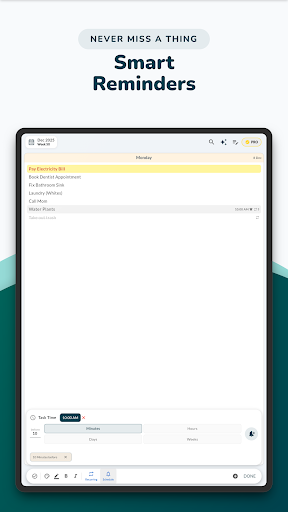
⏰ Powerful Reminders
Stay productive using flexible reminders with multiple notifications that keep your to-do list, routine plan on track.
? App Lock
Protect your personal diary, and week plans with Face ID or Fingerprint security.
? Local & Cloud Backup
Safely back up and restore your weekly plan, daily notes, and to-dos locally or via Google Drive.
? Planner Templates & PDFs
Print or export your weekly plan as a beautiful PDF file — choose from a variety of elegant templates.
? Interactive Planner Widget
Add our interactive widget to your Home Screen for a quick look at your daily tasks. Mark them as completed instantly without opening the app.
Whether you are looking for a fitness planner, meal planner, productivity planner or just a normal daily planner, Weeklo the most simple planner you will find for a productive life.
For support:
[email protected]