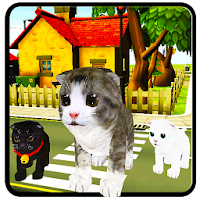
Cat & Kitten Watchface PRO brings the charm of adorable cats and playful kittens right to your wrist! Perfect for cat lovers, these Cat & Kitten watch faces combine cuteness with elegance — turning every glance at your smartwatch into a moment of joy.
Whether you love cute kittens or stylish cat-inspired art, this app offers a variety of unique, chic, and personalized watch face designs. You can select the desired one that fits your mood and make your Wear OS smartwatch truly one-of-a-kind.
This cat watchfaces app offers both elegant analog and digital dials. You can select the desired one and apply it to the watchscreen.
Each watch face is carefully designed to give your Wear OS a timeless look with modern features. This cat watch faces app supports Always-On Display (AOD). Now you can check the time at a glance without waking the screen.
Highlighted Features of the Kitten & Cat Watchfaces App:
• Cute Cat & Kitten Themed Analog & Digital Dials
• Customizable Complications
• AOD Support
• Supports Wear OS 4, Wear OS 5, Wear OS 6, and all above Wear OS Watches.
Supported Devices:
This cat watchfaces app is compatible with devices (API Level 33 & above) that support Google's Watch Face Format.
- Samsung Galaxy Watch8 Classic
- Samsung Galaxy Watch 8
- Samsung Galaxy Watch 4/4 Classic
- Samsung Galaxy Watch 5/5 Pro
- Samsung Galaxy Watch 6/6 Classic
- Samsung Galaxy Watch 7/7 Ultra
- Google Pixel Watch 3
- Google Pixel Watch 4
- Fossil Gen 6 Wellness Edition
- Mobvoi TicWatch Pro 5 and newer models
Complications:
You can select and apply the following complications to your Wear OS smartwatch screen:
- Date
- Day of the week
- Day and date
- Next event
- Time
- Step count
- Sunrise and sunset
- Watch battery
- World clock
- and More
Steps to Customize Watch Face & Set Complications:
Step 1 -> Touch and hold the display.
Step 2 -> Tap on the "Customize" option to personalize the watchface (dial, or complication).
Step 3 -> In the complication fields, select the preferred data to view on the display.
How to Download "Cat & Kitten WatchFace PRO" on a Wear OS smartwatch:
1. Install via Companion App (Mobile App)
• Open the companion app on your phone and tap "Install" on your smartwatch.
• If you don’t see a prompt on your watch, try toggling Bluetooth/Wi-Fi off and on again to resolve the issue.
2. Download From the Wear OS Play Store
• Open the Play Store on your Wear OS smartwatch
• In the search section, search for "Cat & Kitten WatchFace PRO" and start the download.
How to Set "Cat & Kitten WatchFace PRO" Watch Face:
1. Touch and hold the display.
2. Swipe left or right to select the watch face, or tap "Add watchface" to select it from the Downloaded section.
3. Scroll and find the "Cat & Kitten WatchFace PRO" watchface and tap on that watch face to apply it.
Set your favorite Cat & Kitten watch faces in seconds and make your smartwatch feel special. Turn every time check into a moment of joy and cuteness.
Download today and give your smartwatch a cute cat glow!