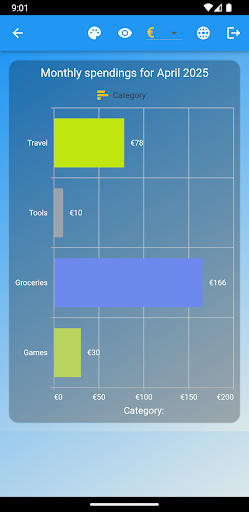
With the 100% free and ad-free CostControl, everyone has the opportunity to become aware of their expenses and record them in detail. These costs are visualized in a beautiful design using bar, donuts and pie charts. There is also a detail area where you can see the exact details such as description, costs, currency, date and category. These can be changed and deleted as needed. The app also offers certain statistics, for example you can see your total expenses over months and years. Statistics are also given about an individual type per month and their results are summed. In the detail area there are filters that you can use to filter by category and fixed costs. The app fundamentally differentiates between variable and fixed costs. These are also shown separately. In another tab you have a complete overview of your total expenses, i.e. income, expenses and available credit. Here the user can enter his salary, which will then be used to calculate the available credit based on his expenses. The application also offers the option of looking back over any month or year so that you can easily compare how expenses have changed over time. The user can log in completely anonymously via email and password and get started straight away. CostControl saves the data locally on the device and in a cloud. This means that the app can also be used offline and then synchronizes automatically as soon as you are online again. This means you can install CostControl on multiple devices and always have the same version on all devices at the same time. For creating categories, there is a good selection of 500 icons that you can choose as a visual guide to your categories. CostControl is intuitive to use and offers great added value for everyday life. The user always has an overview of his costs and learns to control his finances safely. There are also different color designs for every taste, as well as the popular “Dark Mode”.