Branch company service information
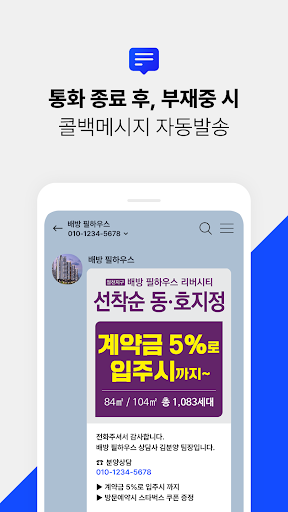
After a call, a callback message containing advertisements, promotions, events, business cards, etc. is automatically sent, and the branch company provides various functions to provide an effective callback service.
When spam is blocked and spam calls are made, a notification message is sent to registered contacts.
For membership members, we provide free on-site mobile business cards.
[App access permission information]
■Required access rights
Phone/call records
- Used to check the phone number of the smartphone
- You can display the calling number and block it.
- Used to check the phone number of an incoming call.
(You must have call log permission to check the calling number)
Contact information: Access is required to exclude callback text messages and use the spam check function.
SMS: Access is required to send callback text messages and spam notification text messages.
Storage space: Used when attaching an image for sending a callback text.
Notification: Used to display notification messages such as important notices.
Stop optimizing battery usage: Used to ensure that the app operates normally even in sleep mode.
Draw over other apps
-Access is required for manual shipping functionality.
-Used to display spam call information window
If you do not agree to allow the required access rights, the provision of functions that require such rights may be restricted.
If you deny some permissions, you can re-agree to permissions later in the app information.
If you want to deny permission or stop using the app, you can stop granting the permission or immediately delete or suspend the permission by canceling your membership in the app's menu or contacting customer service.
[privacy policy]
https://bungisa.com/policy/
[Main features of branch service]
mobile on-site business card
Supports mobile business cards at sales sites
Recognize spam calls and block notifications
If a call comes from a registered spam number, the call will be announced on the screen or a notification message will be sent to the registered contact number.
Various shipping support
Supports multiple types of messages
Automatic sending function
It provides an automatic sending function for incoming, outgoing, absent, and rejected situations.
Manual shipping function
Users can directly control and send messages to incoming, outgoing, and out-of-office situations.
Callback text message sending details
Check the history of incoming, outgoing, and missed shipments
You can check the shipment details for each situation.
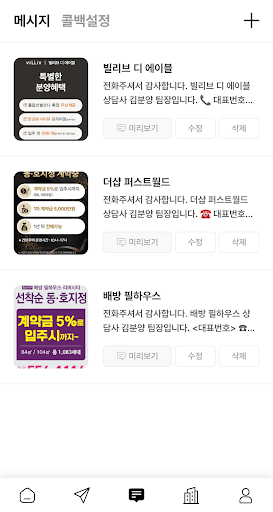
Attach and create images in callback messages
Images can be attached
You can attach your own images, flyers, business cards, etc. to your message.
Various image support
You can attach up to 3 images for each incoming, outgoing, absent, or rejected situation, up to a total of 12 images.
Support for creating custom images
We provide support functions to create images according to customer needs.
Set up restrictions on sending to the same number:
You can restrict sending to the same number for a specific period, such as 1 day, 1 week, 15 days, or 1 month.
Setting text sending day and time zone
You can set the message to be sent according to the day and time you want to send it.
Registration and management of restricted sending numbers
You can restrict sending to specific numbers and manage registered numbers.
Manual mode on/off setting
Provides a settings function to turn manual sending mode on or off.