Hide files in your phone, hide videos, hide images, hide contacts with just one click. fast and secure.
MAIN CHARACTERISTICS
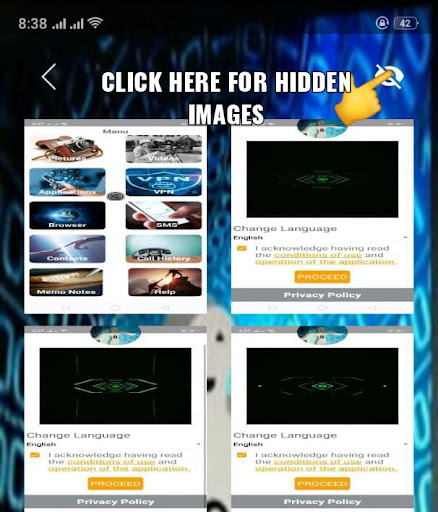
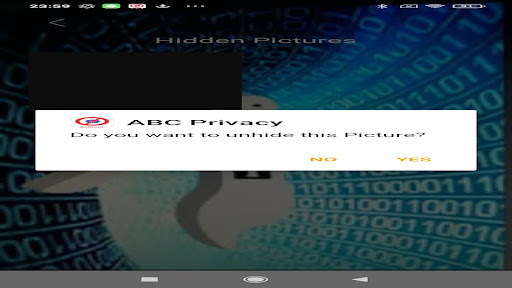
A: Hide photos, hide videos, hide PDFs.
B: Hide contacts.
C: Hide all the files you want.
D: VPN to protect your personal data and location when browsing the Internet.
E: Lock any application to allow its use only by you.
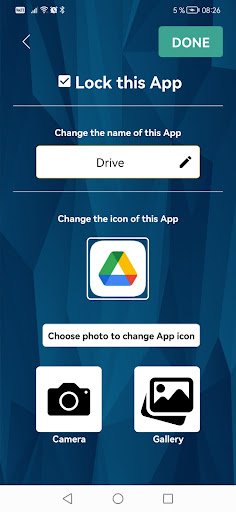
ABC PRIVACY VPN is a powerful and easy-to-use app for your privacy and can help you protect data on your Android device. It can hide any number of files or folders on your devices quickly with just one click. You no longer have to worry about others being able to see files you don't want them to see. This application can become invisible on the phone and you can hide it by choosing the icon that will be shown on your phone.
For security or confidentiality reasons, you can hide any photos, videos, contacts, word document, pdf or any other document that is important to you to secure your data in the event of loss or theft of your phone.
This application has a powerful antivirus based on artificial intelligence and it is updated regularly to take into account the latest viruses that can invade your phone, slow it down and even prevent you from using it.
For complete protection of your privacy, you can also use our VPN servers before browsing certain sites or from an internet network outside your home or which you do not trust. With our VPN, your geographic location is hidden and you browse the Internet completely anonymously and you will not be affected by sites that restrict their content to a country, particularly for viewing multimedia content (video, film, football match). , etc.). Your data travels over the internet in encrypted mode.
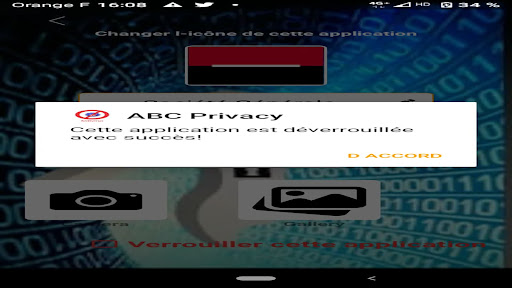
Our app also allows you to lock any app on your Android device with the passcode you chose when you first installed the app. With this security and privacy solution, you can leave your phone, your child or a stranger without them being able to launch applications that you have blocked with a password or view a file that you have already hidden. You can even hide these apps by changing its icon on the desktop.
You also risk a private notepad which allows you to encrypt notes, passwords, etc. and save it.
————————
FAQs
————————
Q: Why do I need to accept permissions when installing the app?
A: You can install our app without accepting any permissions. But depending on the feature you want to use, you will be prompted to give the app the appropriate permission needed to make the feature possible to use.
Q: Is my hidden data stored online?
A: No. All your hidden files are stored on your device. So, when you move to a new device, make sure to restore your files and copy them to the new device.
Q: Is there any security issue while using this app?
A: From now on, it is impossible to have an application in the Google Play store that causes security problems. Google controls the quality of the source code of any application regarding sensitive permissions. Everything happens between the app and the phone and the developer does not have access to your phone and we do not save your data on our remote server.
Q: I hid some files and uninstalled this app, will my hidden files be lost?
A: No. Hidden files are always stored secretly and safely somewhere on your device and you can reinstall this app anytime when you want to restore them. NOTHING WILL BE LOST!