qBitConnect – Remote qBittorrent Manager
Features
• Remote Access
• Connect to your qBittorrent server securely
• Monitor download and upload progress in real time
• View torrent status, speeds, and details
Real-Time Updates
• Live updates every few seconds
• Smart polling with change detection
• Instant status refresh
Torrent Control
• Pause, resume, and delete torrents
• Perform bulk actions on multiple torrents
• Set file download priorities
• Rename torrents and change save locations
• Force recheck and reannounce
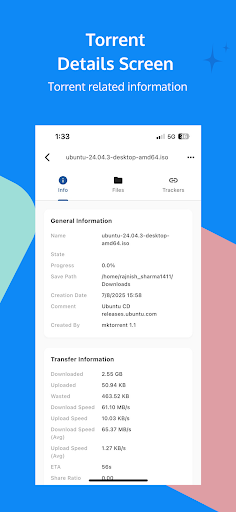
Detailed Torrent Information
• View complete torrent metadata
• See tracker performance and peer connections
• Monitor transfer history and statistics
• Access individual file information
Modern User Interface
• Clean Material Design 3 layout
• Dark and light themes
• Responsive interface for all screen sizes
• Status indicators with progress and speed display
Secure Connections
• Password-protected access
• Supports custom HTTP headers
• Auto-reconnect and connection validation
File Management
• Manage individual files in torrents
• Set and track file download progress
• View size and completion status
Smart Features
• Automatically connect to saved servers
• Custom server naming
• Adjustable polling intervals
• Error handling and offline mode support
Cross-Platform Compatibility
• Supports all qBittorrent versions with Web UI
• Works with both local and remote servers
• No additional software required
Note: A properly configured qBittorrent Web UI is required for this app to function.