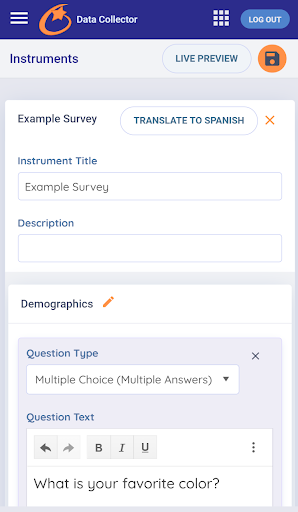
A compliment to COMET’s web-based platform, COMET Instruments is a native application that allows the user to create, record and store instruments, assessment and survey information in the COMET database, with or without an internet connection.
Features:
Record and securely store data offline and then synchronize to the COMET database once an internet connection is available
Create custom instruments, assessments, and surveys with scoring for instant results
- Fully customize questions and answers
- Add open text, multiple-choice, star rating, date ranges and uploads as applicable response types
- Add validation and scoring to each question to assess the answers
- Use any of the instruments already available in the COMET web-based platform
- Available instruments include the Ages & Stages Questionnaires (ASQ)*, Ages & Stages Questionnaires: Social-Emotional (ASQ:SE)*, Teacher-Child Rating Scale (TCRS)* and many more Social-Emotional Instruments*.
- Create a workflow, or sequence of surveys, to be taken in order
- Collect data for pre-loaded students using pre-loaded instruments
- Collect new data for a newly created student that is currently not in the COMET database
*Intellectual Property fees may apply to certain Instruments*