Instantly turn any images to a pdf document
Granth is a free document scanner application developed in India, No registration, No ads
Use this free mobile document scanner to turn anything: documents, images, notes, business cards, a book, paper or any other stuff into a pdf document and share it across different platforms with ease
Granth is a free document scanning application, It's still in beta testing phase hence please report any bugs you encounter, more features will be implemented soon with your cooperation,
Planning every day of your life to be a perfect one isn't easy, you may end-up in a situation where you need to send a document to someone and find no scanner nearby, to lift you out of this situation you can use this free document scanner without any hassle of signin or signup, no adds a simple and easy to use document scanner to scan and share your documents instantly and effortlessly.
more features such as OCR, barcode scanner and other exciting stuff will be added soon, stay tuned
do you worry about storage? I've covered you, PDF generated from free Granth document scanner is small in size hence lifting weight from your storage and make your life easier
this application is 100% made in India
No water marks : hence scan your Personal IDs, Medical Documents, Business cards, Vehicle documents, bills, Articles, official documents, contracts, Files, Insurgence documents etc in a breeze
Granth is completely free forever with no Advertisements, watermarks etc.
Please provide me your valuable feed back to improve existing features and add new features making the app more stable and convenient to use through mail from the email id found in the report button on the top right corner of the dashboard in your Granth App
HOW TO USE GRANTH:
-> Capture or open the image of your document
-> Adjust the orientation of your image and tap on next
-> Align the points (if isn't aligned already) and tap on crop, tap on next
-> select desired filter, tap SAVE&ADD to save the current image and capture next image, tap next if you are done
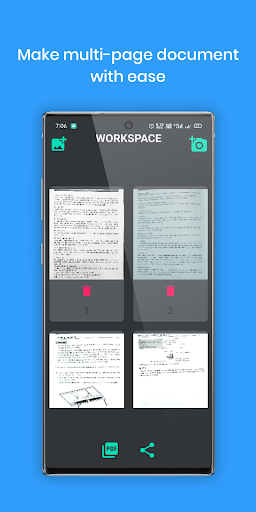
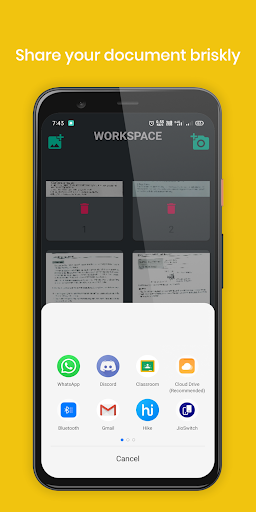
-> tap on convert to PDF button to generate PDF or Share to share the same
-> if you wish to add more images then you can do so using the buttons above
-> Your Scanned document will be located in Android/Data/com.dsmsoft.granthScanner/files/
Thank you for choosing Granth.