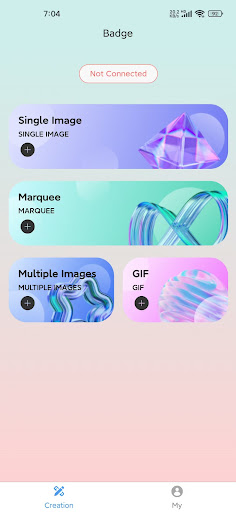
Take full control of your E-Goods device with this dedicated companion app. Designed for simplicity and security, E-Goods lets you effortlessly manage and update your device's content—no complicated setup required.
Key Features:
• Direct File Transfer: Upload images (JPG/PNG) and videos (MP4) to your E-Goods device via Bluetooth. Files stay 100% local—no cloud uploads.
• Bulk Upload Support: Select multiple files at once to save time when updating your device.
• Intuitive Interface: Simple, user-friendly design makes pairing and transferring files a breeze, even for first-time users.
• No Data Collection: Your personal information, device data, and files are never collected, stored, or shared. We prioritize your privacy.
How It Works:
1. Ensure your E-Goods device is powered on and in pairing mode.
2. Open the app and enable Bluetooth on your phone.
3. Select your E-Goods device from the list of available devices.
4. Choose images/videos from your phone's storage and tap "Upload"—done!