Do you want to download a Status Saver? With Story Saver, you can download your favorite status quotes from WhatsApp without asking for access to the specific conversation.
Download all of them by selecting keywords. Search with unlimited keyword combinations! We will add more interesting tools like Amazing Stickers and Whats Web.
Features:
✦ Easily download Whatsapp Status
✦ Internal Video Player
✦ Download Whatsapp Statuses quickly.
✦ Make sure all statuses are up-to-date.
✦ Support the Multiple Platform (Normal / Business)
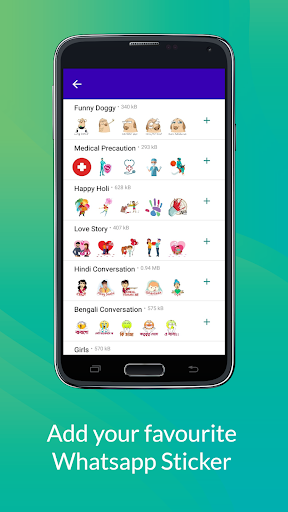
✦ Amazing Sticker for Whatsapp
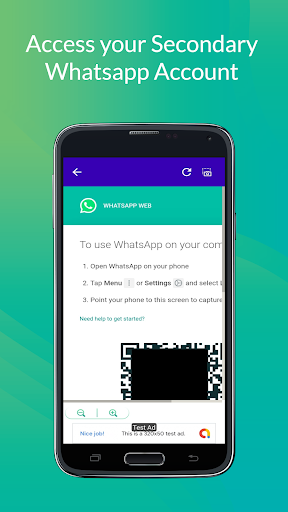
✦ Amazing tool of Whats Web
Story Saver:
You can Save your Favourite Story to Both Platforms like WhatsApp and Whatsapp business. You and add the amazing Sticker to your Chat for WhatsApp. With this Whats Web, You can use other people's WhatsApp on your phone.
How to use (Story Saver):
✦ First of All Open your Official Whatsapp App
✦ Then Click on Your favorite Status, Which you want to download
✦ Then Open our Story Saver App and You will See the Status.
✦ If you have a WhatsApp Story image, you can get it in Organize downloaded quotes into folders and if you can get the video in the video category.
✦ There you can download Whatsapp Statuses quickly, with just a single click on the download icon.
Sticker for Whatsapp:
WhatsApp By default provides you with many emojis, moreover, you can send different stickers to your friends with this tool for free. You can use more Stickers in your Chat or Conversation.
How to use (Whats Sticker):
✦ Tap the Smile icon at the top of our Story Saver app or You can access the Sidebar to use Amazing stickers to your WhatsApp.
✦ Then our sticker category will open
✦ Tap on any one sticker package there.
✦ Once the sticker pack is open, tap on the Add to WhatsApp button below.
✦ The sticker will be added to your official WhatsApp and you can use it while chatting.
Whats Web Tool:
This app can be useful for you if you are a parent and want to keep an eye on your kids' WhatsApp.
How to use (Whats Web):
✦ To use Whats Web, tap on the three-dot icon above or Whats web in the app's sidebar.
✦ Then the Whats Web will open and Generate the Unique QR Code.
✦ Open someone else's WhatsApp here and tab on Whats Web and their open Scan QR and scan the QR code generated in your App.
✦ His phone's WhatsApp will open in your app.
This app is Proudly by #MadeinIndia