Tax accountants and those taking the tax accountant exam should make use of this!
*The legal texts listed are the latest as of April 2022.
[Operation method]
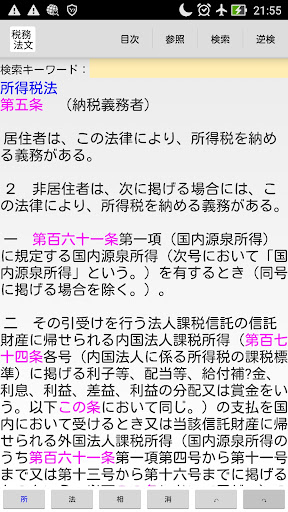
One-finger left/right flick to move to the next/previous article
Two-finger pinch out/in to enlarge/reduce text size
Short touch to select reference article ("Select" to move, "Reference" to display references, "Search" to enter article number as search keyword)
Long press on screen to search by article number ("Select" to move, "Reference" to display references, "Search" to enter article number as search keyword)
・Top button
"Ad" to display in-house app link
*There are also casual games, so try playing them to take a break from studying!
"Table of Contents" Display the table of contents (after selecting a legal text, move to "Select")
"Reference" Switch between displaying and hiding references
"Search" Search for search keywords in the forward direction
"Reverse Search" Search for search keywords in the reverse direction
-Bottom buttons
"Place", "Law", "Aspect", "Eraser" Switch display legal text
Back key "←" "→" key Move to history * Pressing the back key when there is no back history will close the app.
-In the reference display at the bottom
One-finger left/right flick operation Move to the next/previous article
Two-finger pinch out/in operation Enlarge/reduce text size
Short touch Select reference article ("Reference" reference display, "Search" enter article number in search keyword)
Back key "←" "→" key Move to history * Pressing the back key when there is no back history will erase the reference display.
Copyright 2022- Nam Creations