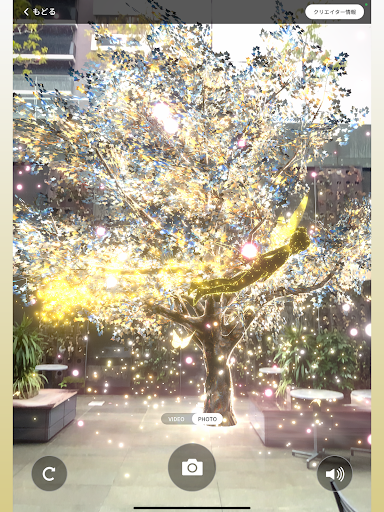
◯Flow of experience
1. Go to the designated XR experience spot at Urbannet Nagoya Nexta Building, Blossa, or Urbannet Nagoya Building and launch this app.
2. Download XR content
3. Follow the instructions in the app and show the foot marker with the camera so that the app recognizes it.
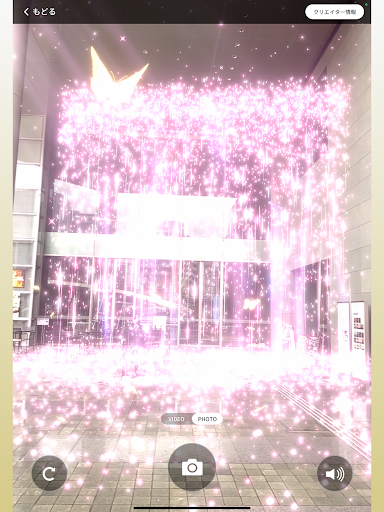
4. XR content will appear before your eyes! Enjoy a new immersive city experience based on the cityscape you see every day.
5. If you take a photo or video with the app, it will be saved in your smartphone's photo folder.
(If the camera button does not work depending on the model, please try using a general screen capture or screenshot.)
6. Please share it on SNS and enjoy it with everyone.
◯Notes
■ While using the app, battery consumption may be faster.
■ Data communication volume may increase while using the app.
■ Using a smartphone while walking is dangerous. Please stop by and use it.
■ Please be careful not to obstruct traffic while experiencing the app.
■ When shooting content, please be careful not to include people around you.
■ Separate communication charges will apply.
■ Data must be downloaded for each content. We recommend bulk downloading of content in a Wi-Fi environment.
Also, please make sure you have enough storage space before enjoying.
■ Depending on the device you are using, AR may not be displayed correctly.
◯Recommended environment
・ARCore compatible models
・Android 12 or higher/iOS 16.0 or higher
・Memory 4GB or more recommended
・iPhone SE 2nd generation or later, Android 12 or later compatible devices recommended
*Please check https://developers.google.com/ar/devices for AR Core compatible devices.
*Uses GPS and camera functions.