My Reading - Save Your Words
Install Now
My Reading - Save Your Words

My Reading - Save Your Words

Save words with its explanation to improve your vocabulary

Developer: Niccolò Papucci
App Size: Varies With Device
Release Date: Oct 4, 2017
Price: Free
Price
Free
Size
Varies With Device

Screenshots for App

Mobile
Welcome to My Reading App!

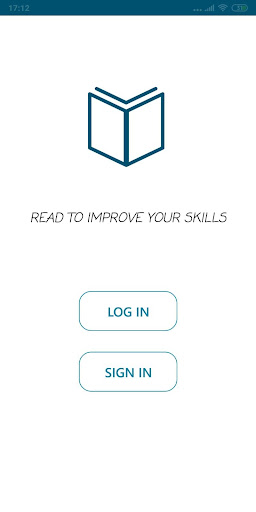
Do you want to read a book in another language to improve your skills by learning new words? That's the right App you are searching for!

My Reading App allows you to memorize all the difficult words which you can find by reading books in another language or also in your language!

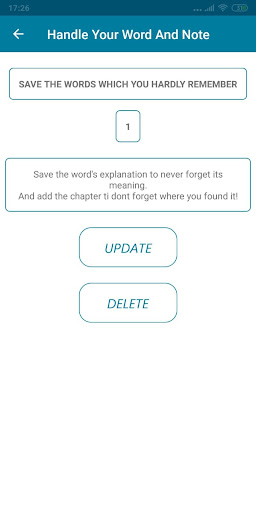
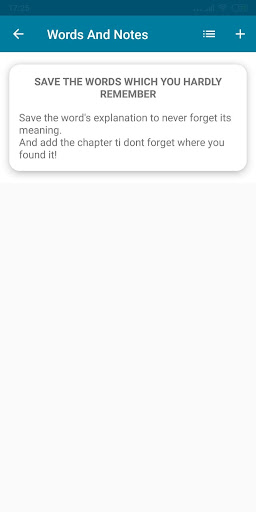
You can easily save the words, which you probably won't remember and add its meaning into the word’s meaning line.

Thanks by My Reading App, you can:

➜ Edit or delete the words.
➜ Filter the words through the book chapters.
➜ Delete a book from your list by holding the click on it or to change the book image cover.

By using this App, You won't lose your new words to learn and you will have a better organization with your books!
Show More
Show Less
My Reading - Save Your Words 2.0 Update
2020-04-23 Version History
MyReading App is back with an important update!
Thanks to all the important advices to improve the App
So what are you waiting for? Update the App to enjoy it even more!

- Your book list and word list page has been ordered alphabetically
- If you want to add a word, the system will recognize if it already exists inside that book
- It was added a new icon into the word list for reloading your book's word list
- Bug fixes
- It was added a new page to let you know the new improvements

~Niccolò Papucci
More Information about: My Reading - Save Your Words
Price: Free
Version: 2.0
Downloads: 551
Compatibility: Android 4.0.3
Bundle Id: com.papucci.nicco.myreading
Size: Varies With Device
Last Update: 2020-04-23
Content Rating: Everyone
Release Date: Oct 4, 2017
Content Rating: Everyone
Developer: Niccolò Papucci


Whatsapp
Vkontakte
Telegram
Reddit
Pinterest
Linkedin
Hide