KODAK MEMO
Install Now
KODAK MEMO
KODAK MEMO

KODAK MEMO

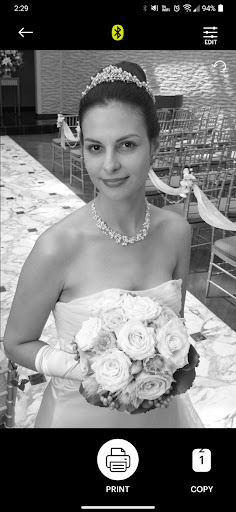
Edit and print your precious memories with KODAK MEMO app.

Developer: PRINICS Co., Ltd
App Size: Varies With Device
Release Date: Oct 16, 2023
Price: Free
Price
Free
Size
Varies With Device

Screenshots for App

Mobile
[How to Use]
1. Make sure you recharge the printer before you use it.
2. Make sure the Adapter is connected properly.
3. Turn on the printer
4. Go to Bluetooth setting and find the printer’s MAC address.
The MAC address is placed inside the printer’s door
5. Select an image from the Gallery or take a photo with your smartphone.
6. Once image has been selected, edit the image with your personal preference.
7. Now press print button located on top of the printer when editing is completed.
8. When you print for the first time, it may need to update the firmware. Please follow the instruction shown on the screen of your smartphone.
9. It will take about a minute to fully print. Please do not pull the photo until it is completely printed.
Show More
Show Less
KODAK MEMO 1.3 Update
2023-12-06 Version History
-Bluetooth connection improved
-App Freezing issue when printer temperature issue is occurred

~PRINICS Co., Ltd
More Information about: KODAK MEMO
Price: Free
Version: 1.3
Downloads: 52
Compatibility: Android 6.0
Bundle Id: com.prinics.kodak.photoone
Size: Varies With Device
Last Update: 2023-12-06
Content Rating: Everyone
Release Date: Oct 16, 2023
Content Rating: Everyone
Developer: PRINICS Co., Ltd


Whatsapp
Vkontakte
Telegram
Reddit
Pinterest
Linkedin
Hide