Are you looking to expand your practice?
Are you looking for an application to create, maintain and share medical records with healthcare seekers?
We are here to help you with that, with reliableDrs healthcare app:
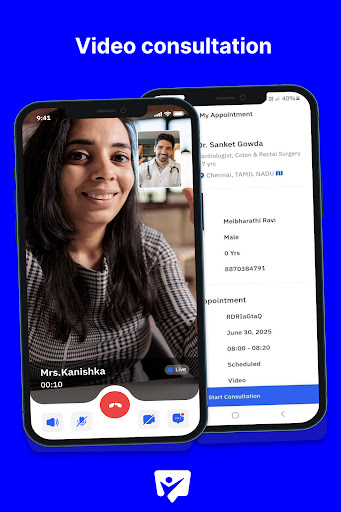
• Offer video and audio consultations to online healthcare seekers.
• Patient database management - Create, maintain and share medical records of your inpatients.
Here is a list of our app features:
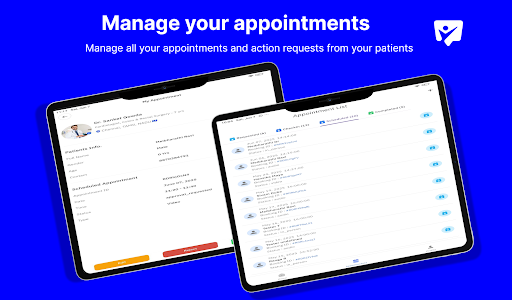
1. Manage appointment requests from both online and inpatients.
2. Create/schedule appointments for inpatients.
3. Conduct online video/audio consultations.
4. Conduct consultation for inpatients.
5. Have access to patient’s medical records and consultation history.
Follow these steps to action an appointment request from a patient:
1. Navigate to the appointments section of the app.
2. Tap on an appointment and access it.
3. In my appointments page, the options to edit, reject and approve will be displayed.
4. Upon selecting one of the above options, user should again confirm the editing/rejecting/approving of the appointment.
Follow these steps to schedule an appointment:
1. Navigate to the appointments section of the app.
2. Tap on the + icon on the top right corner of the screen.
3. From the list of patient profiles, tap on “Schedule” for a patient profile.
4. Fill in the details and tap on “Schedule Appointment”
Follow these steps to conduct online consultation:
1. Navigate to the appointments section of the app.
2. Navigate to the scheduled section of the appointments list page.
3. Access an online appointment and go to my appointments page.
4. Tap on “Start Consultation”
5. From this page, access video/audio consultation, provide consultation summary, provide prescription.
6. Mark consultation as completed, select follow up requirement, tap on “Finish” to complete consultation.
Follow these steps to conduct inpatient consultation:
1. 1. Navigate to the appointments section of the app.
2. Navigate to the scheduled section of the appointments list page.
3. Access an In-person appointment and go to my appointments page.
4. Tap on “Start Consultation”
5. From this page, have access to patient’s medical history and habits info.
6. Access patient’s history of previous consultation reports
7. Provide prescription
8. Provide summary
9. Prescribe lab tests
10. Tap on “Finish” to complete consultation.