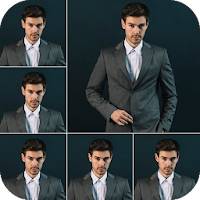
Passport Size Photo Maker – ID Photo App with Suit Editor & Background Remover
Create professional and regulation-ready passport photos right from your smartphone. Whether you're applying for a passport, visa, driving license, job application, or government ID, Passport Size Photo Maker is your ultimate tool for making high-quality, official photos in minutes – no photo studio needed!
🎯 Perfect for passport and visa photos of all countries including:
United States (US) passport photo size
Chinese passport photo size
Indian passport photo size
Pakistan ID photo size
UK, Canada, Australia, Japan, and over 150 countries supported!
🛠️ Key Features of Passport Size Photo Maker:
📸 Capture or Upload
Take a new photo using your camera or select one from your gallery to begin editing.
✂️ Crop Automatically to Passport & Visa Photo Sizes
Supports international photo sizes for passports, visas, driving licenses, and more.
🌈 AI Background Remover & Color Changer
Remove backgrounds instantly and change to white, blue, red, or any official background color as required by different countries.
👔 Suit Changer – Look Professional Instantly
Wondering what to wear for passport photo? Don’t have formal clothes? Use our built-in suit editor to add professional outfits digitally. Ideal for job applications, ID photos, and official documents.
📏 Resize According to Country Requirements
Get the correct photo size whether it’s a Chinese passport photo, a US visa photo, or an Indian ID card photo.
🗃️ Save in Multiple Formats (JPG, PNG, PDF)
Save your photo in HD resolution and print it later or send it digitally.
🖨️ Print Layout Support
Get multiple copies on a single print-ready sheet (4x6, A4) – save time and printing costs.
📝 View & Reuse Photo History
Access your recent photo projects for fast edits or reprints.
📤 Share or Upload Anywhere
Use your photo instantly for online forms, visa applications, or government portals.
🔥 Why Use Passport Size Photo Maker?
Works as an alternative to idphoto4u and other online passport photo tools
Save money on passport photo prices charged by studios
Quick & easy to use with accurate templates
Create online passport photos from home
Used by professionals, students, and travelers across the globe
Whether you're in India, Pakistan, USA, or China, this app gives you everything you need to make an ID photo, passport photo, or visa photo within minutes.
You no longer need to worry about how much a passport photo costs or finding a nearby studio. With Passport Size Photo Maker, you get professional photos at no extra cost – directly from your phone.
🧳 Perfect for:
Passport and Visa Applications
Job Applications & Resume Photos
Online Exams and Registration Documents
📍 Country-Specific Templates Include:
India – Passport
USA – US Passport Photo (2x2 inch)
Pakistan – Passport
China – Chinese passport photo size, blue background support
UK, Canada, Australia, Germany, Japan, and many more
💡 Whether you're preparing for a visa interview or submitting online forms, our app ensures your digital passport photo meets the official standards of your country.
🎯 If you're looking for a fast, easy, and reliable passport photo editor, this app is designed for you. It's more than just a passport photo app – it's your complete ID photo maker.
Download Passport Size Photo Maker now and start creating your perfect passport, visa, and ID photos from the comfort of your home – with background removal, suit changing, and country-specific sizes included!