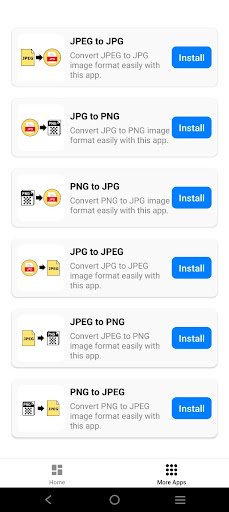
Transform your images into high-quality PNG effortlessly with the PNG to JPG: Image Converter app! Whether you're looking to optimize image size or simply need to convert your images for better compatibility across platforms, PNG to JPG this app makes the entire process incredibly easy and efficient. With just a few simple steps, you can quickly convert PNG to JPG format without compromising on quality or clarity.
Key Features:
1. Effortless PNG to JPG Conversion:
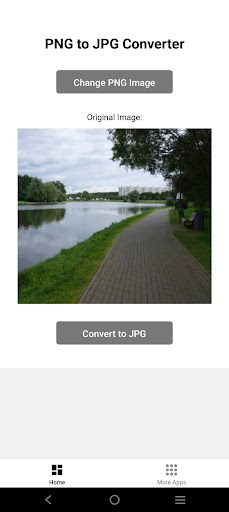
Select a PNG image from your gallery and quickly convert it into JPG format. Ideal for both beginners and advanced users, with no technical skills required.
2. High-Quality Conversion:
Retain the vibrancy and clarity of your images during the conversion process, ensuring high-quality output only with the PNG to JPG converter.
3. Save Directly to Your Gallery:
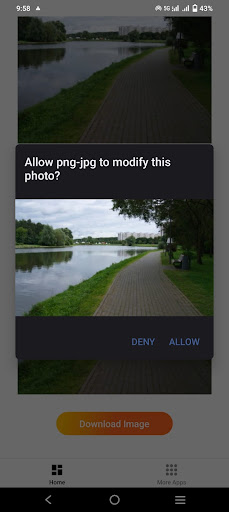
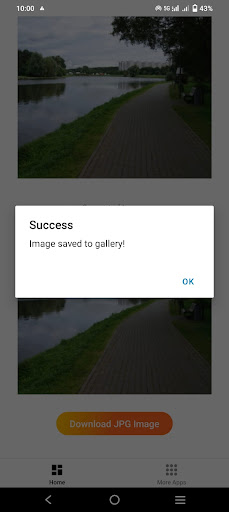
Once you convert PNG to JPG, save your JPG directly to your gallery for easy access and sharing.
4. Fast and Secure:
Conversions occur locally on your device, ensuring speed, privacy, and security. No internet connection is needed to convert PNG to JPG.
5. Lightweight and Quick:
The image converter PNG to JPG is optimized for minimal storage space and fast performance.
6. No Watermarks:
Enjoy clean JPG images with no unwanted branding, even in the free version only on PNG to JPG.
7. Share with Ease:
You can easily download JPG files from the image converter PNG to JPG and share or post them directly to social media or send via messaging apps.
8. Offline Functionality:
Convert PNG to JPG anytime, anywhere, without relying on an internet connection.
Why Choose the Image Converter PNG to JPG?
1. Ideal for File Optimization:
Convert high-quality PNG images into compact JPG files for creative projects or easy sharing PNG to JPG.
2. Supports High-Resolution Files:
The PNG to JPG image converter handles high-quality PNG images while ensuring converted JPG files retain sharpness and detail.
3. Fast and Local Processing:
Protect your privacy with fast, secure conversions performed directly on your device.
4. User-Friendly Interface:
Designed for simplicity, the PNG to JPG converter app is accessible to all users, regardless of technical experience.
5. Perfect for Social Media and Websites:
Create and share optimized JPG images using the PNG to JPG converter, perfect for platforms like Instagram, Facebook, and blogs.
6. Lightweight PNG to JPG Image Converter App:
Consumes minimal device resources, ensuring a smooth user experience without lag.
7. Supports Various File Sizes:
Whether it’s a small image or a larger one, the PNG to JPG app handles files efficiently.
How to Use:
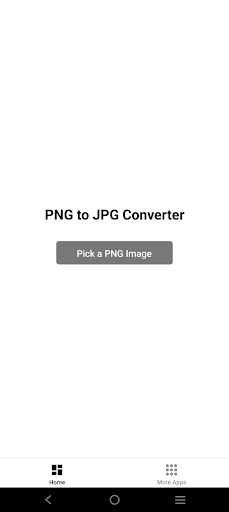
1. Step 1: Open the app and select the PNG image from your gallery.
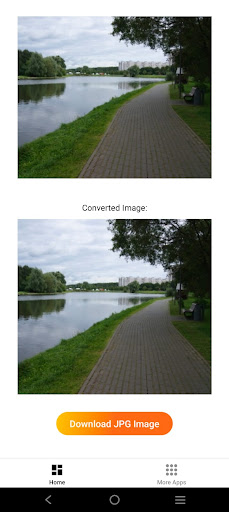
2. Step 2: The app automatically converts it into a high-quality JPG image.
3. Step 3: Save your new JPG image to your gallery and share it easily.
Conclusion:
The PNG to JPG Image Converter app is the ultimate solution for converting PNG images into JPG. With its high-quality conversion, fast performance, and privacy-focused design, this app provides a quick and reliable way to create and save JPG files. Whether you’re a content creator, designer, or casual user, this app is tailored for anyone who needs to convert PNG to JPG efficiently and securely.