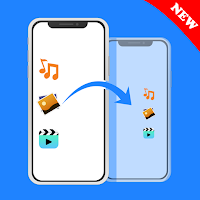
Smart Switch: Phone Clone & Data Transfer is the fastest, safest, and easiest way to move to Android. Transfer everything — apps, photos, videos, contacts, messages, and files — securely between phones without cables, internet, or cloud.
Whether you're switching to a new phone, backing up your data, or sending large files, this smart transfer tool makes migration smooth and lightning-fast.
🚀 Why Choose This Smart Switch Phone Clone App?
✔ Phone Clone in Minutes
Copy apps, contacts, SMS, photos, videos, and files instantly.
✔ Fast Data Transfer
Move photos, videos, music, documents, and more at high speed using WiFi Direct or Hotspot.
✔ One-Tap Move to Android
Switch phones effortlessly — perfect for new device setup.
✔ Quick File Sharing
Send any file type instantly without internet or cables.
✔ Works on All Android Devices
Compatible with Samsung, Xiaomi, Oppo, Vivo, Google Pixel, Realme, and more.
✔ 100% Private & Secure
Direct encrypted connection — files stay ONLY between your phones.
📂 What You Can Transfer
Apps & Games
Photos, Videos & Music
Contacts & Call Logs
Documents, PDFs & Downloads
Full file transfer between two phones
No matter what you need to move, this Phone Clone app keeps your data safe and organized.
🔐 Secure & Private Smart Switch
Unlike cloud backups or slow Bluetooth, this mobile transfer app uses WiFi Direct or Hotspot.
Your data never leaves your devices — ensuring maximum privacy and top transfer speed.
💡 When to Use Smart Mobile Switch
1. Moving to a new Android phone
2. Copy my data for backup
3. Sending large files quickly
4.Cloning apps & contacts to a new device
5. Sharing files offline
🎯 Better Than Old-School Transfer Methods
1. Faster than Bluetooth
2. Easier like Copy My Data
3. Easy Alternate of ShareIt, Clone Phone, or Nearby Share
4. Built for zero errors, zero cables, and zero stress.
📥How to Transfer My Data
1. Install Smart Phone Switch on both phones.
2. Select Old Phone → New Phone.
3. Choose what to transfer — photos, apps, videos, contacts, files.
4. Tap once to clone everything securely.
5. Switching phones has never been this simple.