The Solimat Patient Portal Application is an application that Solimat, a Social Security Collaborating Mutual Society No. 072, provides to all its employees and self-employed members.
Download it and easily:
Stay informed of your appointments and benefits at a glance from the HOME page. Click on the NEXT APPOINTMENT card and access more detailed information about your next appointment. If you prefer, access all your scheduled appointments from APPOINTMENTS and check their status: completed, canceled, rescheduled, etc.
Access your most recent file or process from HOME by clicking on the LATEST HISTORY card. You can also consult it whenever you want from HISTORY, where all the processes or files you have had with Solimat will be displayed, with all the financial and healthcare information generated, divided into different components: healthcare, management, documents, and communications.
Contact your associated advisor for any questions related to your healthcare processes or financial benefits. Create communications with them and share documents quickly.
If you're involved in a case or process and need to communicate with your advisor, we make it easy. We give you the option to create communications within your medical history file so you don't have to leave it.
Check out the network of centers we have available throughout the country or, if you prefer, call us from the app itself at 900 and we'll inform you. If you're traveling abroad for work, call us!
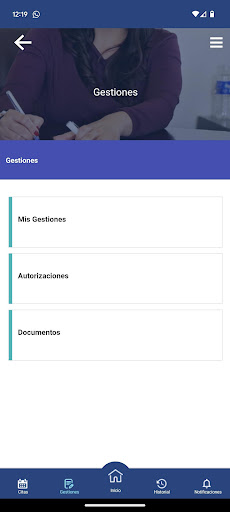
Perform administrative procedures related to benefits from the app and view the documents generated. If you're self-employed, authorize your advisor to manage your benefits for you.
If you forget something, don't worry. Check the NOTIFICATIONS section for all the activities we've performed regarding your medical processes and financial benefits: rescheduling and/or cancellation of medical appointments, payment of benefits, messages from your associated manager, etc.
Go to USER SETTINGS and check the personal information we have. Is it incorrect? Click the link provided in this section and modify what you need from the web version of the Patient Portal.
When you finish using the application, for your security, always log out.