The Starlight CCTV mobile app is a powerful and intuitive tool that gives you full control
over your surveillance system from anywhere in the world. Designed with convenience and security in mind, our app combines advanced features with ease of use,
providing you peace of mind 24/7. Thanks to a secure P2P connection,
setup is a snap – simply scan a QR code to add a device and enjoy
remote access.
Remote Access and Live View
Always stay up to date with what's happening on your property. The Starlight CCTV app allows
smooth, real-time viewing of your cameras.
• Multi-Channel View: Watch up to 16 cameras simultaneously on a single screen, freely switching between views to get a complete picture of the situation.
• Real-Time Interaction: You're not just a passive observer. During live viewing, you can:
• Take photos (snapshots) of key moments.
• Manually record video fragments and save them directly to your phone's memory.
• Conduct two-way conversations (intercom) using the camera's built-in speaker and microphone.
• Control PTZ cameras to point the lens anywhere.
Smart Alerts and Instant Notifications
Forget hundreds of irrelevant motion notifications. Thanks to advanced video analytics (AI) features powered by your recorder, the Starlight CCTV app only sends you the alerts that truly matter. You'll receive an instant push notification when the system detects:
• Intrusion into a protected area.
• Crossing a virtual line.
• Appearance of a face or a specific vehicle.
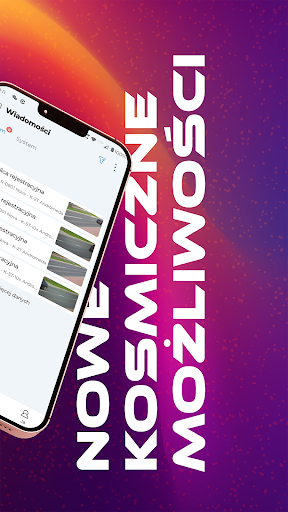
• Object left or missing. Each alert in the notification panel is linked to a short recording or a thumbnail of the event,
allowing for instant verification of the situation.
Recording Playback and Archiving
Need to check what happened last night? The app gives you full access to recordings
saved on the recorder's hard drive or the camera's MicroSD card.
• Intuitive Timeline: Easily browse recordings using a clear,
colorful timeline that highlights all events.
• Filtering and Search: Quickly find the fragments you're interested in by filtering
recordings by event type (e.g., alarms only, human detection only).
• Evidence Download: You can download any important video fragment or photo
directly to your phone to save it as evidence or
share it with the appropriate authorities.
Advanced Management and Configuration
The Starlight CCTV app is more than just a preview – it's a fully functional tool for managing
the entire system. With it, you can remotely configure most settings for your recorder and cameras, including:
• AI analytics settings, such as sensitivity, detection areas, and operation schedules.
• Recording parameters and continuous or alarm recording schedules.
• Sharing selected cameras with family or employees by granting them appropriate permissions.
• Enabling privacy mode to temporarily disable video and audio from a selected camera, ensuring complete discretion when needed.