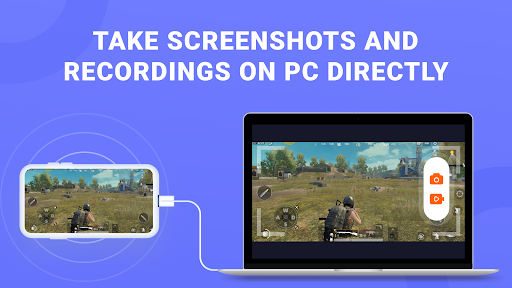
Phone Mirror is a screen mirroring app. It helps you cast Android screen to PC & Mac, and control the mobile devices directly on the computer. You can also play mobile games with keyboard and mouse. This tool connects the phone and PC quickly and without delay, which makes your work and life more efficient.
Note that this Phone Mirror App should be used in combination with its desktop program: https://www.tenorshare.com/products/phone-mirror.html
Key Features
*Mirror Android to PC via USB: You can view Android screen on PC and control it with keyboard and mouse.
*Play Android games on PC and Mac: With the Game Keyboard Feature, you can set key mapping to play mobile games on the computer.
*Take screenshots and recordings of Android screen on the computer directly.
*With Phone Mirror, you can mirror up to 5 Android devices at the same time.
How to Use Phone Mirror
1.Download and launch Phone Mirror software on your computer;
2.Connect the phone to it via USB and enable USB debugging;
3.Install and set up Phone Mirror app on your Android;
4.Control your phone or play mobile games on your computer.
Compatibility:
*Support Android devices with Android 6/7/8/9/10/11/12, including Samsung, Huawei, Xiaomi, Oppo, etc.
*Support on both Windows & Mac.
Language:
English, Russian, German, French, Italian, Portuguese, Spanish, Japanese, Arabic, Korean, Dutch, Simplified Chinese, and Traditional Chinese.