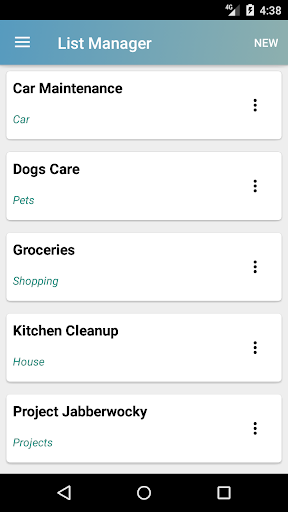
List Manager is a simple application that allows users to create and manage lists.
Typical lists like shopping lists, to-do lists or even checklists can be easily created and efficiently used.
There were several critical goals in building this app:
Small memory footprint
User configurable
Reusable lists
Android services integration (mail and text messages)
No permissions required for installation or use
Complete user privacy (data stored locally, never on the cloud)
Simple user interface
Free (with unintrusive adds)
Our team has worked hard to create an application that uses under 1 Mb of storage. Which means that it will be able to install and run efficiently in almost all Android phones available.
Basic concepts
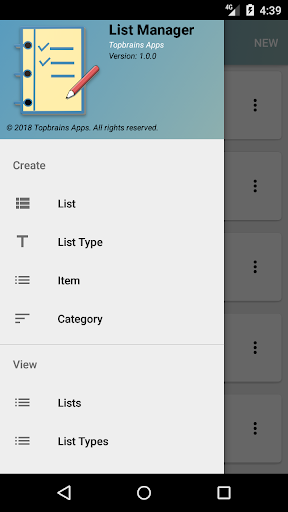
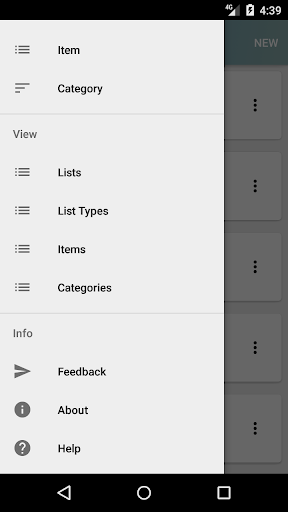
This application uses four basic concepts:
Lists
List Types
Items
Item Categories
Lists and List Types
Because you can have multiple lists we also allow you to classify your lists by type. For example, you could have several shopping lists and to do lists. This app provides a few sample lists, which can be configured, or you can create your own list. When you create a list you can classify it by type. The app provides a list of classifications which you can choose from, or you can create your own list type. If you do not want to assign a classification type, the list will use the classification "Other" as a default.
Items and Item Categories
A similar classification process will be used when you create a new item. You can classify items by categories, for which this app includes some samples, but you can create your own as well. Categories can be food, software, music, hardware, garden items, etc. If you do not want to assign a category, the item will use the category "Other" as a default.
Once a list is created you will see a list of items with check-boxes. As you complete or obtain an item you can tap the check-box to "mark" or "check" it off. Dragging downward from the top of the screen, or using the "Refresh" menu option will show all completed items at the bottom of the list.
If you wish to reuse a list, such as a recurrent weekly shopping list, the "Reset All" menu option allows you to uncheck all checked boxes.
Finally you can share any of your lists to a contact of your choice via the "Share" option.