SnapShrink is a fast image compressor & photo resizer that reduces file size without losing visible quality. Compress, crop, resize, and convert images to JPG, PNG, or WebP—all on-device for privacy and speed. Perfect for social media, email attachments, resumes/KYC, e-commerce product photos, and freeing up storage.
Why SnapShrink?
Smart compression: control quality with a slider; near-lossless results at tiny sizes.
Batch processing: compress and resize multiple images at once.
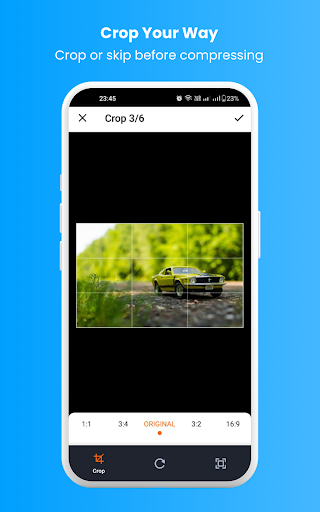
Precise cropping: freeform or presets (1:1, 4:5, 3:2, 16:9, etc.).
Resize by pixels or percent: set width/height or scale down in one tap.
Format converter: JPG ⇄ PNG ⇄ WebP (keep transparency for PNG/WebP).
On-device processing: images never leave your phone—privacy first.
Before/After preview: see size saved and visual quality instantly.
EXIF options: keep or remove metadata to save even more space.
Share anywhere: send to WhatsApp, Instagram, Gmail, or save to your gallery.
Lightweight & fast: optimized for speed and low resource use.
Use cases
Social media & messaging: smaller files upload faster and look sharp.
Email & forms: meet strict size limits for job applications, passports, or KYC.
E-commerce: optimize product images for faster page loads and better SEO.
Web & blogs: compress hero images, thumbnails, and banners to boost site speed.
Storage cleanup: shrink large camera photos to reclaim space instantly.
How it works
Pick one or more images.
Choose Compress, Crop, Resize, or Convert (or combine).
Adjust quality/size, preview the result, then Save or Share.
Key features at a glance
Image compressor, photo resizer, crop tool, and format converter in one.
Supports JPG, PNG, WebP with transparency retained where applicable.
Batch compression and batch resize to save time.
On-device, offline—no uploads required.
Privacy
All image processing happens locally on your device. SnapShrink does not require an internet connection to compress or resize images.
Tips for best results
Use WebP for the best balance of quality and size.
Remove EXIF to cut extra kilobytes.
Resize large camera photos (e.g., 4000px → 2048px) before compressing.
Give SnapShrink a try and make your images smaller, faster, and cleaner—without sacrificing quality.