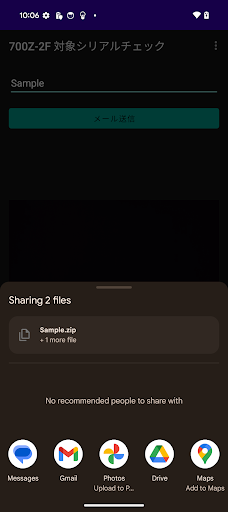
This app is a business support tool that takes a picture of the 700Z-2F serial number with a camera, automatically reads it using OCR (manual correction is also possible), determines whether the item is eligible for replacement, creates a ZIP file of the photographed data and a list of serial numbers (CSV) at once, and then sends the file by email.
[Main functions]
• High-precision OCR: Automatically extracts only the serial number sequence of 700Z-2F
• Physical key shutter: Take a photo with the volume (down) key (ON/OFF switchable)
• Image compression: Compress each photo to approximately 100KB or less
• ZIP + CSV batch generation: Package the captured image into a ZIP and the serial list into a CSV
• Email transmission: Attach multiple files at the same time, automatically clear the cache after sending
[Usage flow]
1. Enter the name of the project (if not entered, “project” is the default)
2. Camera direction, flash, and shutter key settings
3. Take a photo with [Photo] or the volume (down) key → Automatic compression → OCR
4. Confirm and correct the recognized characters in the dialog (cancel to discard)
5. Display of replacement target product judgment (❌Replacement target/✅Not eligible)
6. Repeat for the required number of sheets
7. From the menu or list screen, select [Send email] → Attach ZIP/CSV and launch
[Usage scenarios]
– Mass serial check on site
– Streamline serial and photo data management tasks
*This app runs on the device. No network connection is required except when sending emails.
*Please allow camera and storage permissions before use.