###3. Full Description
Transform your organization's management with Karma Manager, the all-in-one solution designed to simplify your daily operations. Whether you're a business owner, an employee, or a parent, Karma Manager provides a seamless and intelligent experience.
**For Business Owners & Admins (Client Portal):**
* **Complete Staff & Student Management:** Easily add, edit, and manage profiles for all your staff and students.
* **Advanced Task Management:** Organize work with an intuitive Kanban board, list view, and calendar. Get AI-powered suggestions for task assignments.
* **Automated Salary Processing:** Set your own salary rules, and generate monthly payslips with a single click, accounting for leaves and attendance.
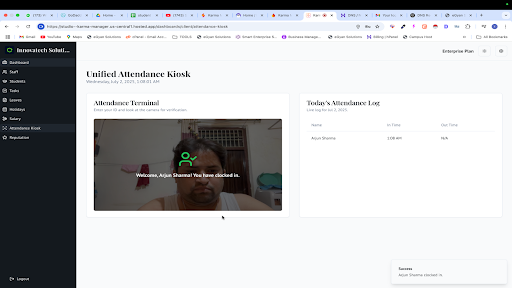
* **Smart Attendance Kiosk:** A unified face-scan kiosk for both staff and students, featuring random AI-powered security checks for enhanced accuracy.
* **Leave & Holiday Management:** Approve or reject leave requests with automatic quota updates. Manage the yearly holiday calendar effortlessly.
* **Reputation Management:** Monitor your Google reviews and use AI to generate professional, context-aware replies instantly.
* **Detailed Reporting:** Get comprehensive attendance and salary reports that can be exported to CSV or PDF.
**For Employees (Employee Portal):**
* **GPS-Based Attendance:** Mark your attendance from your phone with GPS verification.
* **Task & Communication Hub:** View your assigned tasks, update their status, and communicate with your manager through comments and attachments.
* **Leave & Payslip Access:** Apply for leaves, check your leave balance, and view or download your monthly payslips anytime.
**For Parents (Parent Portal):**
* **Real-Time Attendance Tracking:** Get instant notifications on your phone the moment your child checks in or out of the facility.
* **Attendance History:** Easily view your child's complete attendance history for any period.
Karma Manager is a Progressive Web App (PWA), which means it's fast, reliable, and can be installed on your device just like a native app. Simplify your management, empower your team, and bring peace of mind to parents with Karma Manager.
---
### 4. App Icon
* **Size:** 512x512 pixels.
* **Format:** PNG (with transparency).
* **Guideline:** Should be a high-quality version of your organization's logo. Keep it simple and recognizable.
---
### 5. Feature Graphic
* **Size:** 1024x500 pixels.
* **Format:** JPG or PNG (no transparency).
* **Guideline:** This is the main banner image at the top of your Play Store listing. It should be visually appealing, with minimal text. Showcase your app's main benefit or branding.
---
### 6. Screenshots
* **Requirement:** Minimum of 2 screenshots. Recommended: 4-8.
* **Platforms:** Take screenshots for Phone, 7-inch tablet, and 10-inch tablet.
* **Guideline:** Take clean screenshots of your app's most important and visually appealing screens. Examples:
* Client Dashboard
* Task Board (Kanban View)
* Employee Attendance Page
* Parent Dashboard showing child's status
* Salary Report Page
* Reputation Management Page