You can create and manage a timetable for each day of the week.
You can display the timetable in color on the clock and enter information.
You can view it in 24-hour view or 12-hour view.
Also, you can see both 24-hour view and 12-hour view at a glance.
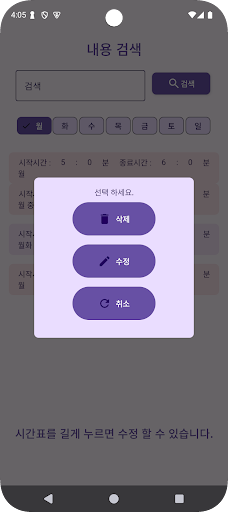
We created a search screen so you can view by day of the week or search only the content.
Also, I was able to apply the color to my liking.
By creating a modification screen, you can edit the previously saved timetable with different content, such as a different time or color.
Users can also create the same timetable for each day of the week in the same color to make it easier to understand at a glance.