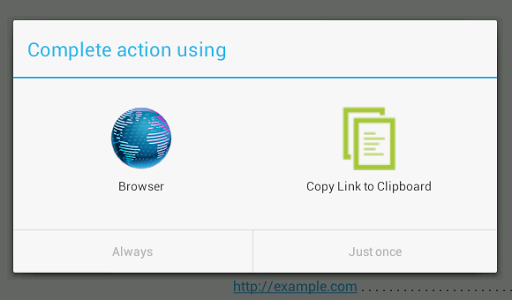
Adds a "Copy Link to Clipboard" option to the browser selection menu and the share menu. After choosing "Copy Link to Clipboard", the URL will be copied to the clipboard and briefly displayed without leaving your previous app.
This app is ideal for those who want to see what is behind a link without visiting the URL or leaving current app.
Two use cases:
1. When I read a mail in the Gmail app, I want to know whether the link is real. It is very easy to show "http://example.com" while pointing a mail to "http://evil.com".
2. Viewing websites in Incognito mode. There is no way to directly open the browser in private browsing mode, so an app that offers a way to copy the link target is the best I can do.
The app only starts when launched by the user. After copying the link to the clipboard and showing it in a notification, the app quits. The app does nothing else (there is not even a launcher icon; the app only appears in "Open with browser" and "Share link" menus).