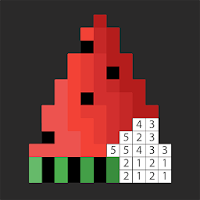
Pixel Art Photo Editor is the easiest way to turn your photos into pixel art
and create retro sprites on your phone.
Import any picture from your gallery or camera, choose a canvas size from
16x16 up to 256x256, and instantly convert it into clean pixel art. Then edit
every pixel with a simple and powerful pixel editor.
You can also start from a blank canvas and draw freehand to create icons,
game sprites, characters, logos and retro illustrations.
MAIN FEATURES
- Photo to pixel art converter
- Canvas sizes from 16x16 to 256x256
- Free draw mode on an empty canvas
- Precise brush with zoom and pan
- Fill tool to color large areas in one tap
- Eyedropper to pick any color from the canvas
- Optional grid to see each pixel clearly
- Replace white with transparent for clean PNG export
- Reset tools to quickly start over
- Save, download and share your pixel images
PERFECT FOR
- Pixel art and 8 bit style lovers
- Indie game developers and sprite artists
- Creating avatars, icons, logos and emojis
- Anyone who wants to transform photos into fun pixel pictures
Download Pixel Art Photo Editor now and start turning your photos into
beautiful pixel art in seconds.