Watt MonitorThis is an app for recording the power consumption of electrical devices measured with a power consumption meter.
Records modes such as sleep, standby, and eco.
You can calculate and check your electricity bill from power consumption and electricity charges.
You can check it with line graphs and bar graphs.
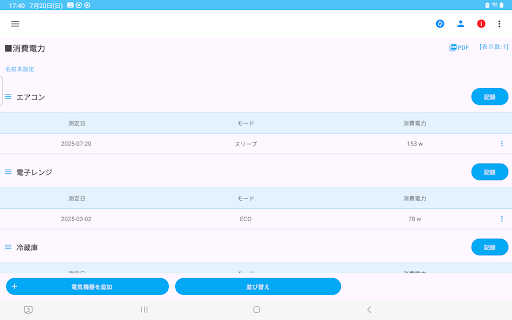
・Add electrical device
1. Press the "Add electrical device" button.
2. Enter the name of the electrical device and press "Save".
3. Confirm and press OK.
・Record power consumption
1. Press the "Record" button to the left of the electrical device name.
2. Select the measurement date (year, month, and day) and press "OK".
3. Enter or select the mode and press "Next".
4. Enter the power consumption, electricity charge, and remarks and press "Save".
▼Edit
You can edit power consumption, etc. from the menu on the right side of the table.
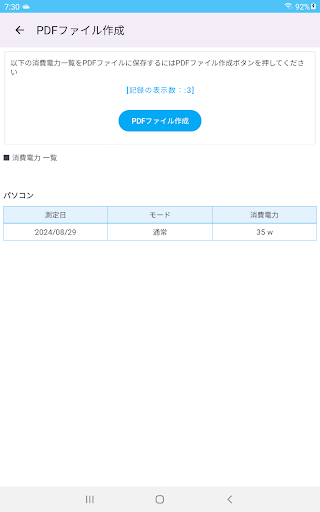
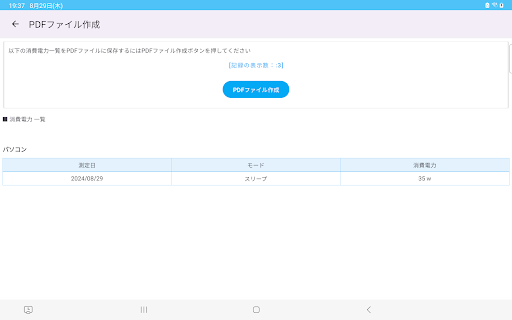
▼Create PDF file
Create a PDF file from the displayed screen.
Press the PDF button to create a PDF file.
If you want to print, please send it to a print app such as Drive before printing.
▼Create CSV file
Create a CSV file from the power consumption record.
You can create a CSV file with the measurement date, electrical device, mode, power consumption, electricity charge, and notes.
If you want to print, please send it to a print app such as Drive before printing.
▼Add name
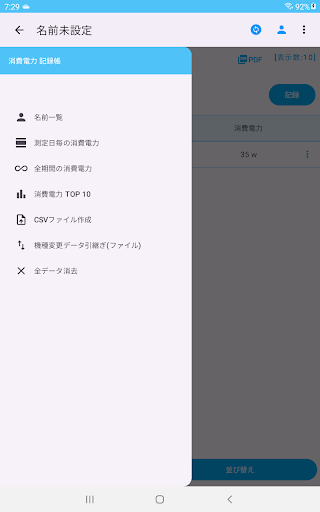
Tap the person icon in the upper right.
Adding an additional name allows you to record it separately.
Press the Add name button, enter the name, and press the Add name button.
To edit the name, press the three lines to the left of the name in the name list and press Change name to open the editing screen.
To switch names, press the Select button to switch names.
▼Power consumption by measurement date
Displays a list of power consumption by date.
▼Power consumption over the entire period
Displays a list of power consumption by electrical devices.
▼Top 10 power consumption
Displays a bar graph of the top 10 power consumption in descending order.
▼To delete all records and names
You can delete all records by initializing and erasing all data from the menu in the upper right.
▼Data transfer when changing device
When you tap "Data transfer when changing device" in the menu, the following selection screen will be displayed.
-Create file (Create a backup file for changing device)
-Restore (Restore data from backup file)