Hedwig: AI-Powered Spam Blocker & Text Filter
Tired of unwanted messages cluttering your inbox? Let Hedwig, your friendly AI assistant, keep your messages clean and junk-free! With Hedwig, you can relax while it automatically filters out spam, scams, advertising, phishing, and promotional texts—so you don’t have to.
Why Choose Hedwig?
- AI-Powered Spam Protection: No need to set up complicated rules or blocklists. Hedwig’s intelligent AI identifies and blocks junk messages, protecting your inbox.
- Filter Out the Noise: From political campaigns and promotional offers to phishing attempts, Hedwig automatically separates the junk from important messages.
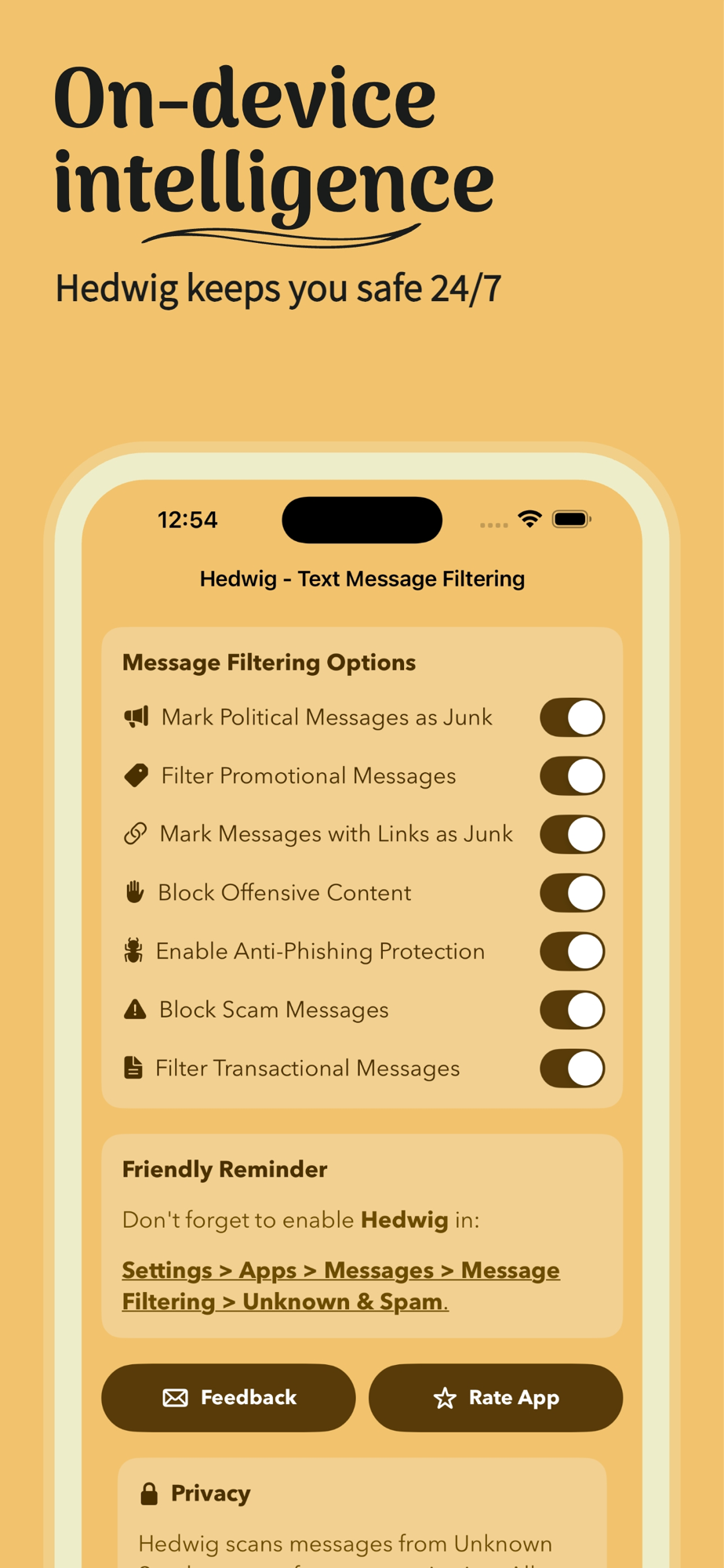
- Customizable Filters: Want more control? You can tailor your experience by marking specific types of messages as junk—whether they contain links, political content, or offensive language.
- Stay Safe from Scams & Phishing: Hedwig’s advanced anti-phishing and scam filters keep your inbox secure by blocking harmful texts before they reach you.
- Hands-Free Efficiency: Once set up, Hedwig works quietly in the background so you can focus on what matters without being interrupted by junk texts.
- Your Privacy, Protected: Hedwig processes all filtering directly on your device. No data is collected, and your messages never leave your phone. Your privacy is our top priority.
Features:
- AI-Powered Filtering: Automatically detect and block spam, scams, and junk messages with the power of AI.
- Customizable Options: Adjust filters for promotional, political, and transactional messages to match your preferences.
- Phishing & Scam Protection: Safeguard your inbox from harmful links and fraudulent messages.
- Effortless Setup: Easy onboarding that gets you started in no time—no tech skills required.
- Works in the Background: Once you enable Hedwig, it takes over. No need to manually block numbers or messages.
How It Works:
1. Download Hedwig and let our AI take over!
2. Enable message filtering in your iPhone settings: Go to Settings > Apps > Messages > Message Filtering > Unknown & Spam, and select Hedwig.
3. Sit back and let Hedwig block the junk automatically. You’ll only see the messages that matter.
Personalized for You:
Hedwig allows full control over what you block. Whether it’s political messages or content with links or offensive language, you can fine-tune your filters for a cleaner inbox.
Download Hedwig today and say goodbye to junk texts forever!
Keep your inbox safe, clean, and focused with AI-powered spam blocking.