Qcam Link for iPhone
Qcam Link app supports the following features:
1. Allows for the adding of new devices by simply scanning a QR code with your smartphone or tablet.
2. Multi-channel viewing with up to 16 channels on the screen at the same time
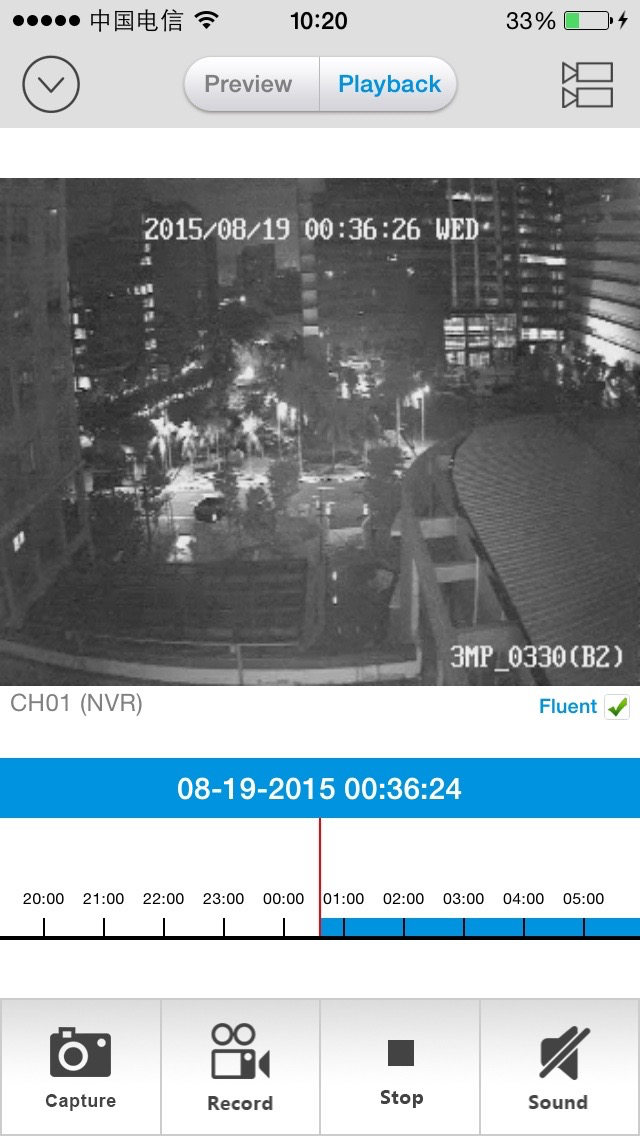
3. Remotely playback of recordings from your DVR/NVR hard drive.
4. Capture video from the live view channels onto your iPhone for future playback.
5. Capture single or multiple still images and save them to your iPhone.
6. Remotely control the camera via PTZ (pan, tilt, zoom).
The Qcam Link app supports the DVR, NVR, and IP Cameras from Qcam.
Qcam Link app uses a data stream that will connect to your DVR / NVR / IP Cam via 3G/4G or WiFi. When using 3G/4G, note that this will consume mobile data and will contribute to your mobile data limit that your cellular plan has. Exceeding any plan limits may incur additional usage charges. Consult with your mobile service provider regarding the use of a video streaming app and how it may affect your plan.
For the latest information, please visit http://qcam.com
For assistance with this app, contact Qcam Tech Support:
[email protected], or visit http://qcam.com/support.